Free GPX & Strava Video Overlay Generator for Runners
Turn your GPS running activities from Strava, Garmin, Apple Watch, COROS, Polar, Suunto, or Stryd into broadcast-grade animated telemetry overlays. Export native transparent video (.MOV), MP4, or GIF with live pace, 5-zone heart rate meters, split bars, elevation profiles, and GPS route maps — 100% free with no paywalls or duration caps.
Built for Every Running Video Format
Whether you film widescreen YouTube race recaps on a GoPro or DJI Osmo Action, or vertical Instagram Reels, TikToks, and YouTube Shorts on your phone, RunningOverlay adapts with crisp animated data.
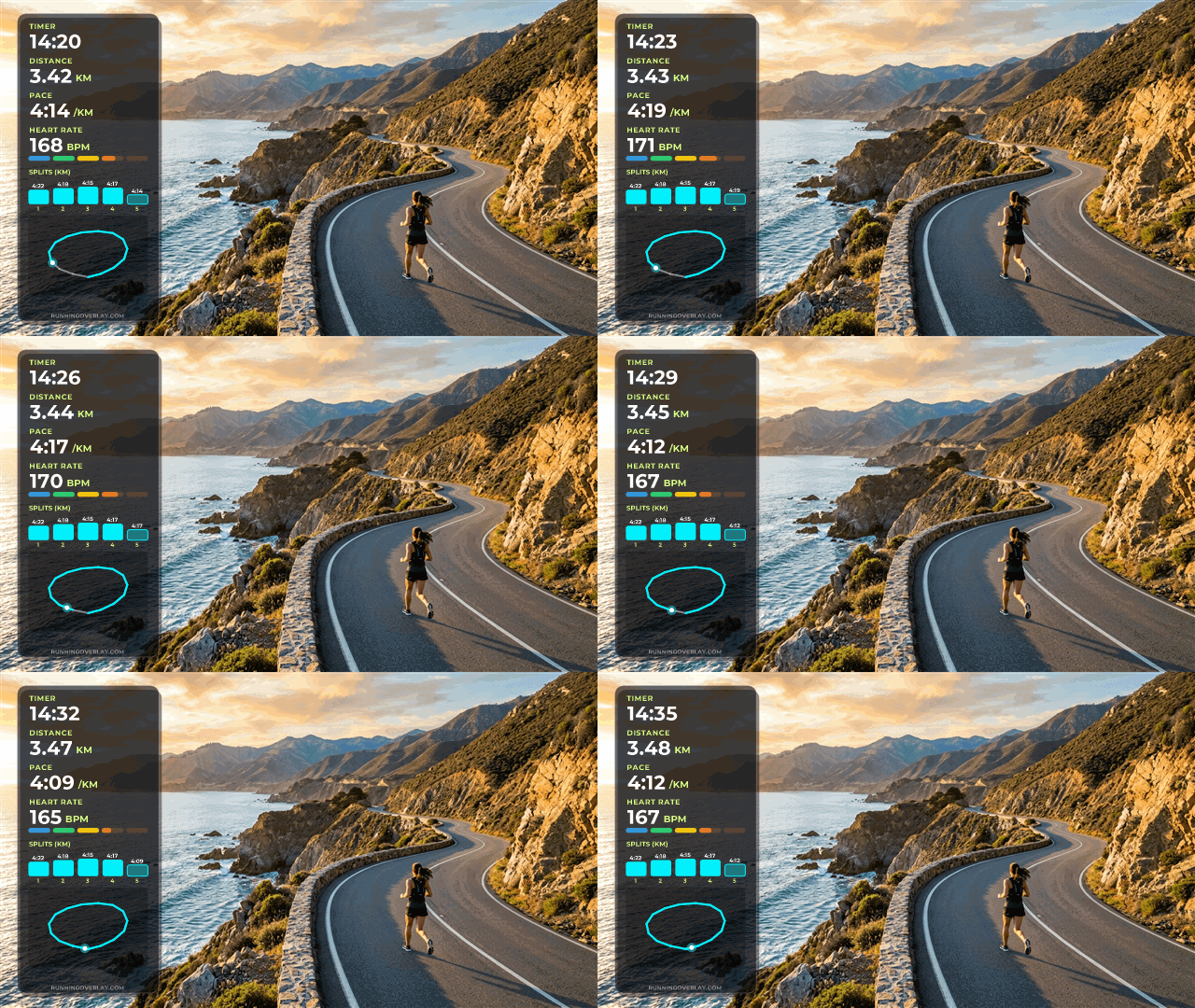
Vertical Telemetry Stack Overlay
Our signature HUD stack places your live race clock, distance, pace, 5-segment heart rate zone meter, 5-split bar graph, and animated GPS route trace cleanly down the left or right edge of your video.
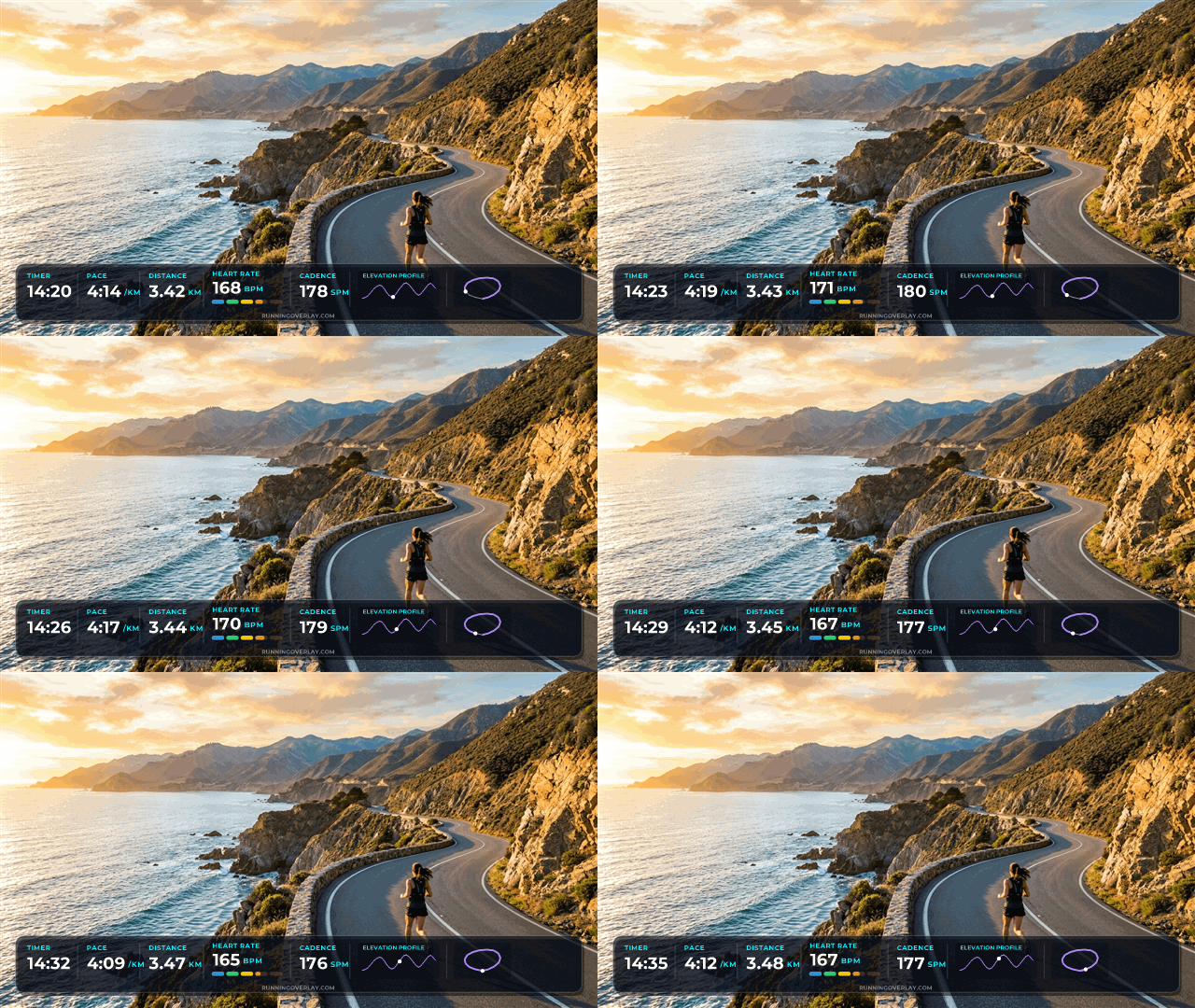
Widescreen Broadcast Telemetry Bar
Switch to Horizontal orientation with one click for a sleek TV-broadcast lower-third dashboard. Keeps the centre of your action camera frame completely unobstructed while animating every metric along the bottom.
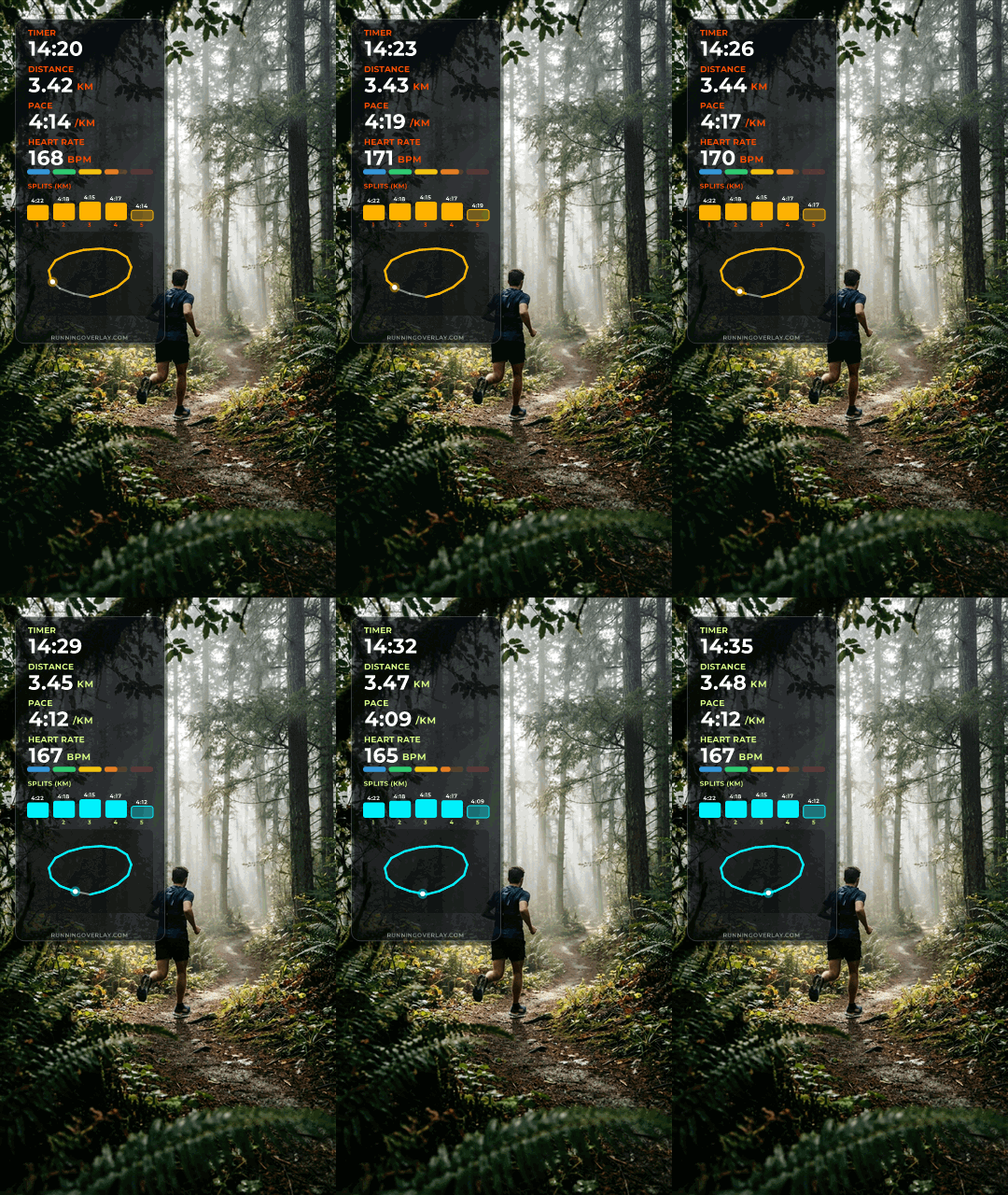
Mobile Reels, TikTok & YouTube Shorts
Create high-retention running vlogs directly on iPhone or Android. Export native transparent video for iOS editors, or use the 1-click Green Screen Chroma Key MP4 and Animated GIF modes in CapCut Mobile, InShot, and VN.
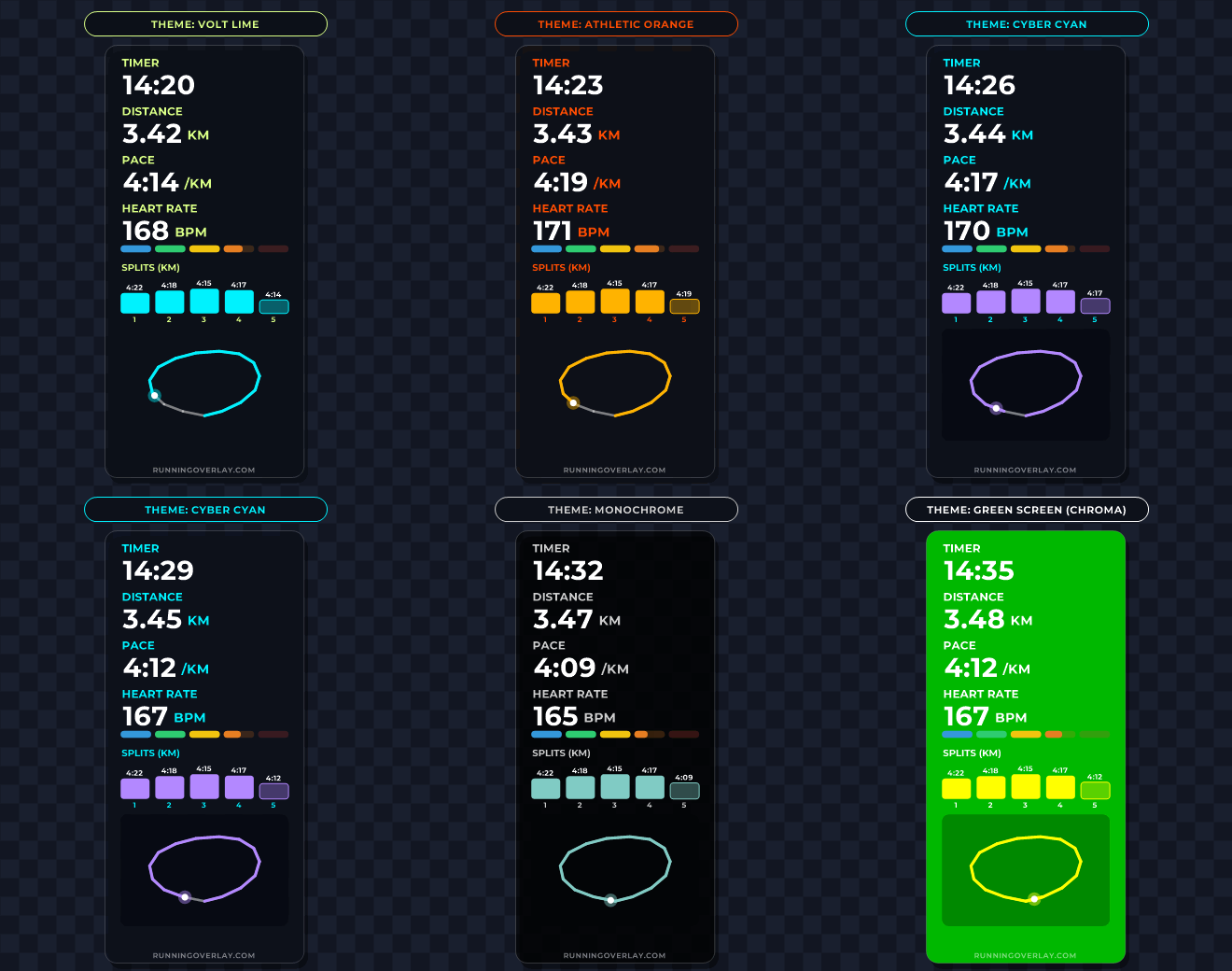
5 Built-In Colour Themes + Custom Palette
Pick from Lime, Orange, Cyan, Monochrome, or Green Screen Chroma Key — or fine-tune custom hex colours, box width, text alignment, and background opacity.
Every Running Metric Fully Customisable
Unlike generic multi-sport tools that only show cycling or motor vehicle speedometers, RunningOverlay is engineered specifically for runners. Drag and drop to reorder, toggle, or style any combination of widgets.
Comparison: RunningOverlay.com vs Other Tools
Looking for the best way to add telemetry to your running videos? Here is how RunningOverlay.com compares to other video overlay software and paid tools.
| Feature / Capability | ⚡ RunningOverlay.com | Other Overlay Tools |
|---|---|---|
| Price | ✓ 100% Free Forever | Paid subscriptions / paywalls |
| Free Video Duration Limit | ✓ Unlimited | Often restricted / duration caps on free tier |
| Direct Strava Account Import | ✓ 1-Click Strava Import + GPX | ✕ Manual file download & upload only |
| All Telemetry Widgets Unlocked | ✓ All 14+ Widgets Free | Pro widgets locked or watermarked |
| Running-Specific Visuals | ✓ 5-Zone HR Gauge, KM/MI Split Bars, Rolling Pace | Generic multi-sport / automotive speedometers |
| Transparent Video Export | ✓ Native Transparent Video | Often locked behind paid tier |
| Mobile Editing (iPhone & Android) | ✓ MOV, MP4 & GIF Support | Desktop-focused workflow |
| Data Privacy & Processing | ✓ 100% Local In-Browser | Cloud upload queue / server processing |
How to Add Strava & Garmin Data to Your Video
No software installation, no account registration, and no complex timeline syncing required. Create your first overlay in under 60 seconds.
Connect Strava or Drop a GPX File
Click Import from Strava to pull your latest run directly from your Strava account (with GPS, heart rate, cadence, and power streams), or drag and drop any GPX file exported from Garmin Connect, Apple Watch, COROS, Polar, or Suunto.
Select Widgets, Trim & Style
Toggle and drag-to-reorder 14+ telemetry widgets. Use the Trim Segment slider to match the exact section of your run featured in your video clip, and pick between Vertical Stack or Horizontal Bar in your favourite colour preset.
Download & Drop Into Your Editor
Export as Transparent Video (.MOV) for instant alpha transparency in CapCut, DaVinci Resolve, Premiere Pro, Final Cut, or iPhone — or choose MP4 (Green Screen Chroma Key) / Animated GIF for Android and mobile apps.
Frequently Asked Questions
Everything you need to know about creating free GPX and Strava running video overlays for desktop and mobile editors.
What is a Running Overlay?▼
Why is RunningOverlay.com completely free?▼
This local-first architecture also means complete privacy: we never see, retain, or store any of your activity data, GPS tracks, or video files. If you enjoy the tool and want to help support ongoing maintenance and new features, you are welcome to support us via our Buy Me a Coffee page!
How is RunningOverlay.com different from other video overlay tools?▼
Can I import my run directly from Strava without a GPX file?▼
Where do I find a GPX file if I want to upload manually?▼
How do I add the running overlay to my video in CapCut, Premiere Pro, or DaVinci Resolve?▼
Can I create running overlays on my phone (iPhone & Android)?▼
- iPhone editing: If you're on an iPhone, you can download the Transparent Video (.MOV) and import that directly into your mobile video editor as a new picture-in-picture / overlay layer.
- Green Screen (Chroma) preset (Best for Android & universal mobile): Select the 🟩 Green Screen (Chroma) colour preset in Step 5, export as MP4 Video, and use the "Chroma Key" / "Cutout" tool in your mobile editor to remove the green background in one tap.
- Animated GIF: Export an Animated GIF (automatically capped at 5 minutes for mobile memory safety) and insert it as an animated sticker or overlay.
Which GPS watches and fitness platforms are supported?▼
How do Heart Rate Zones and Pace Splits work?▼
Z3 TEMPO). The
Pace Splits widget plots vertical pace bars for your last 5 completed
or in-progress kilometres or miles.